
How to make a game with AI, step by step
You can make a game with AI three ways. Describe it in an app and play what comes back. Ask a chatbot to write the code, then run and fix it. Or build in a game engine with its AI helper. Pick the path first, then follow its steps.
Checked . Roam is our app, and the Roam team wrote this page. See also: AI game maker, ChatGPT game maker, Claude Code games, Gemini game maker.
Step 1: pick your path
Ask what you want at the end: a game to play tonight, code you can change, or a project you will keep building. Our AI game maker guide compares the three by platform and skill.
- Describe it in an app. Roam or Astrocade. No code at all, and the game lives in the app.
- A chatbot writes the code. ChatGPT, Claude or Gemini. Works best on a computer, and you own the bugs.
- AI inside a game engine. GDevelop, Roblox Studio or Summer Engine. More control, more to learn.
Path A: describe it in an app
- 1. Write one sentence. Genre, place, goal, how you lose. "Horror in a school at night, flashlight with a battery, find 5 keys." In Roam you can start from a photo instead.
- 2. Play the first build. It comes back playable with world, art, characters, sound and rules. Play it all the way once.
- 3. Change one thing at a time. "Make the first level easier." "Add a boss after level 3." "Make it two-player." Play again after each change.
- 4. Play it with friends. Play solo first, then with friends when they are on.
Path B: a chatbot writes the code
More detail: how to make a game with ChatGPT and with Claude.
- 1. Ask for one HTML file. A complete game in a single HTML file with JavaScript and no outside libraries. ChatGPT's canvas can render HTML, so a small game can run in the chat.
- 2. Save and run it. Save it as game.html and open it on your computer.
- 3. Paste errors back. Copy the error, say what you saw, and ask for the whole fixed file, not a snippet.
- 4. Add one feature at a time. Score, then enemies, then sound. To share it, you upload the file to a host such as itch.io yourself.
Path C: the AI helper inside an engine
Install the engine, start from a template, and ask its AI for one feature at a time. GDevelop's AI can start a game or add a feature, and its free plan has 40 AI credits a month. Roblox Assistant can create objects and scripts in Studio, which runs on Windows and Mac. Summer Engine is a desktop engine where an AI agent writes the game, with 5 free AI messages a day.
Play it on Roam
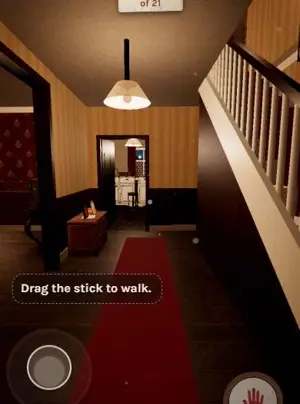
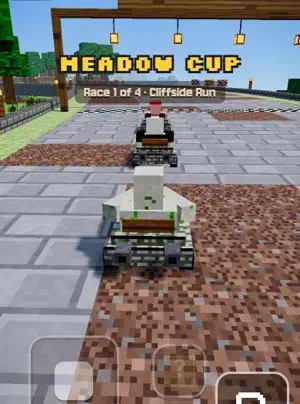
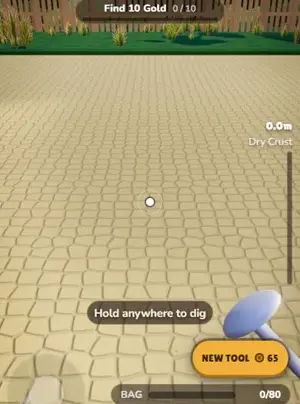
Take Path A with Roam
Skip the code step. Describe the game, play what comes back, and change it by talking.
Try: "horror in a school at night, flashlight with a battery, find 5 keys, my friends are the other survivors"Roam ("Roam - Make Games" on the App Store) is an iPhone app where you play games and make your own by describing them or from a photo. It is free to download and play, and making games works without a subscription; optional Spark and Reality plans and credit packs add more creation. Android: pre-register on Google Play.
Questions people ask
Can AI make a game for me?
Yes, a small one. An app like Roam or Astrocade hands back a playable game from a sentence. A chatbot can write the code for a simple game you run yourself. You still decide what is fun and test it.
How big a game can AI make?
A small complete one: an obby, a horror night, a kart race. It cannot yet make a console-size game with a hundred hours of handmade content.
What AI makes games?
Three kinds. Apps that turn a sentence into a playable game, such as Roam and Astrocade. Chatbots that write game code, such as ChatGPT, Claude and Gemini. And AI helpers inside engines, such as GDevelop, Roblox Assistant and Summer Engine.
Can I make a game with AI for free?
Yes. Chatbots and GDevelop have free tiers. Roam is free to download and play, and making games works without a subscription. Optional Spark and Reality plans and credit packs add more creation.
Can a 12-year-old make a game with AI?
They can make games, but many AI tools set a minimum age, so check each one with a parent. Scratch is free and built for young makers. Roam is rated 13+ on the App Store, so it is not for a 12-year-old.
Sources, checked November 5, 2026
- Roam on the App Store, rated 13+: apps.apple.com
- Astrocade: play free games or make your own with AI: astrocade.com
- ChatGPT canvas renders HTML and React code: the-decoder.com
- ChatGPT canvas help article: help.openai.com
- itch.io: upload and host HTML5 games: itch.io
- GDevelop free plan: 40 AI credits a month: gdevelop.io
- Roblox Assistant creates objects and scripts in Studio: create.roblox.com
- Roblox Studio runs on Windows and Mac: create.roblox.com
- Summer Engine: AI game engine, desktop app: summerengine.com
- Summer Engine free plan: 5 AI messages a day: summerengine.com
- Scratch is free and made for young people: scratch.mit.edu
Product names belong to their owners. Roam is not affiliated with them.
Keep exploring
- How to make a game with Claude
- Make me a game
- How to make a game for free
- The best AI game maker
- AI game maker apps
- How to use Roblox Build
More on Roam: All Roam games Games to play, by kind