How to make a game for free, in five steps
Making a game costs nothing if you keep it small and use free tools. These five steps take you from an idea to a game your friends can play, and show the one point where money can come in: putting your own app in a store.
Checked . Roam is our app, and the Roam team wrote this page. See also: Roblox Studio alternative for mobile, GDevelop alternative, Scratch games to make, Make a game on Astrocade.
Step 1: Shrink the idea to one mechanic
Big ideas are what get expensive, because they eat weeks. Pick one thing the player does over and over: jump, dodge, stack, steer or catch. Write it in one sentence, like "dodge falling pianos, 3 lives, it gets faster". If it needs two lines, cut.
Step 2: Pick one free tool and stay with it
Switching tools halfway costs more time than any tool costs money. Without coding: GDevelop, Astrocade or Roam. On a phone: GDevelop's app or Roam on iPhone. For each tool's limits, see the free game maker guide.
- Scratch. Free block coding from the MIT Media Lab, on the web. Best for a first game on a computer.
- Godot. Free and open source under the MIT license, with no fees or royalties. You write code in GDScript.
- GDevelop. A no-code engine with event sheets. The free plan publishes to Android or desktop once a day, and to its own gd.games site without that limit.
- Roblox Studio. Free on Windows and macOS, and Roblox runs the servers. Scripting is in Luau.
- Astrocade. An AI game maker where you describe a game. Its create page says you can make your own game for free.
- Roam. An iPhone app: describe the game in a sentence or start from a photo, and it comes back playable. Roam is free to download and play, and making games works without a subscription. Optional Spark and Reality plans and credit packs add more creation.
Step 3: Use free art and sound
Do not pay for assets in a first game. Kenney.nl gives away game art and sound under CC0, so you can use it anywhere. OpenGameArt.org and Freesound host free files too, each with its own license. Players forgive plain art, not controls that feel bad. In Roam the art and sound come with the game.
Step 4: Test it with friends before you polish
Hand the game to two friends and watch them play without explaining it. Where they get stuck is your to-do list. Fix the first ten seconds first.
Step 5: Share it free, and pay only when you must
Free routes: post a Scratch project on the Scratch site, upload an HTML build to itch.io, publish to Roblox from Studio or to gd.games from GDevelop, or play your Roam game with friends who have the app. Money only comes in when you want your own app in a store.
- Apple App Store. The Apple Developer Program is $99 a year, and building a native iPhone app needs Xcode, which runs only on macOS.
- Google Play. A one-time $25 registration fee.
- Roblox. Publishing is free. Opening a game to all ages takes a refundable 1,000 Robux fee or a Plus or Premium subscription.
Play it on Roam
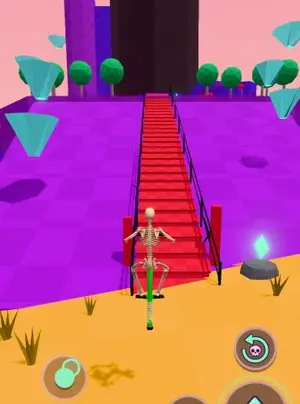
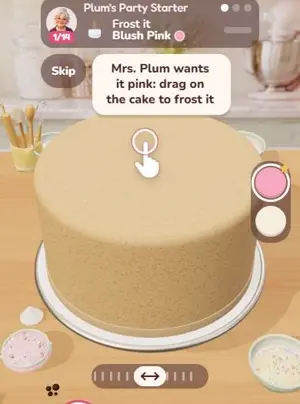
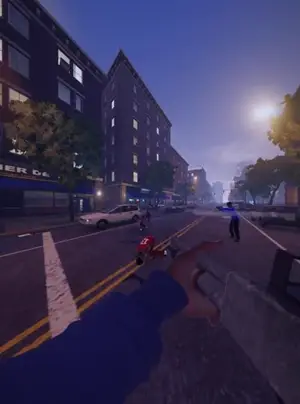
Make it with Roam, no subscription needed
Type your one-sentence idea into Roam on iPhone, play it, then change it by asking. Making games works without a subscription.
Try: "dodge falling pianos in a city street, 3 lives, it gets faster every 10 seconds"Roam ("Roam - Make Games" on the App Store) is an iPhone app where you play games and make your own by describing them or from a photo. It is free to download and play, and making games works without a subscription; optional Spark and Reality plans and credit packs add more creation. Android: pre-register on Google Play.
Questions people ask
Can you make a game without spending money?
Yes. Keep it to one mechanic, use a free tool like Scratch, Godot, GDevelop, Roblox Studio or Roam, and use free art. Costs start with store fees, paid assets or optional extras, like Roam's Spark and Reality plans.
How do I make a game for free without coding?
Use a no-code tool. GDevelop uses event sheets instead of code. Astrocade and Roam make a game from a description. Roam is free to download and play, and making games works without a subscription. Optional Spark and Reality plans and credit packs add more creation.
How do I make a game for free on Android?
GDevelop has an Android app, and its free plan includes limited Android publishing. Roam is on iPhone, where making games works without a subscription and optional plans add more. On Android you can only pre-register on Google Play for now.
Where can I get free game art?
Kenney.nl gives away art and sound under CC0. OpenGameArt.org and Freesound have free files too, each with its own license.
Sources, checked November 5, 2026
- Godot is MIT licensed, free and open source: godotengine.org
- GDevelop free plan: publish to Android or desktop once per day, unlimited on gd.games: gdevelop.io
- GDevelop has an official Android app on the Play Store: gdevelop.io
- Astrocade create page: make your own game for free: astrocade.com
- Roblox Studio is a free app for Windows and Mac: create.roblox.com
- Publishing is free; all-ages release needs a refundable 1,000 Robux fee or Plus/Premium: create.roblox.com
- Apple Developer Program is $99 a year: developer.apple.com
- Google Play has a one-time US$25 registration fee: support.google.com
- Kenney game assets are CC0 (public domain): kenney.nl
Product names belong to their owners. Roam is not affiliated with them.
Keep exploring
- Free game maker
- How much does it cost to make a game
- How to make a mobile game
- How to make a video game
- How to make a game with your friends
- How to make a multiplayer game
More on Roam: All Roam games Games to play, by kind