
How to make a mobile game, step by step
Making a mobile game comes down to seven steps: a small idea, an engine, art, touch controls, testing on real phones, store accounts and review. The engine can be free. The stores charge a fee, and testing takes longer than people expect. If you only want a game your friends can play, there is a shorter route at the end.
Checked . Roam is our app, and the Roam team wrote this page. See also: GDevelop alternative.
Step by step: from idea to the app stores
- 1. Shrink the idea. One line: who you are, what you do, how you lose. One main action, rounds of one to three minutes. Small ideas get finished.
- 2. Pick an engine. Unity and Godot are the common picks for code, GDevelop for no code. All three build for Android and iOS.
- 3. Get art and sound. Use placeholder shapes first. Then draw your own, or use free asset packs with a clear license, like Kenney's public domain sets.
- 4. Build for touch. Big buttons, thumbs in the bottom corners, nothing important under the notch or the home bar.
- 5. Test on real phones. The computer preview lies about speed and controls. iPhone builds go to testers through TestFlight. On Google Play, a new personal account must run a closed test with at least 12 testers for 14 days before it can publish.
- 6. Open developer accounts. Google Play is a one-time $25. The Apple Developer Program is $99 a year, and iOS builds need Xcode on a Mac.
- 7. Ship, then update. Prepare an icon, screenshots, a description, an age rating and a privacy policy. Both stores review apps. Plan for fixes after launch.
Engines and apps for mobile games
- Unity. Widely used for mobile games, in C#. Unity Personal is free up to $200,000 in revenue and funding.
- Godot. Free and open source under the MIT license, light and good at 2D. iOS export runs through Xcode on a Mac.
- GameMaker. A 2D engine that exports to Android and iOS. Free for non-commercial use, with a one-time license to sell.
- GDevelop. A free, open-source no-code engine. It also has its own iOS and Android apps, so you can build on the phone.
- Roam. Not an engine. You describe the game and play it inside the Roam app, with no store listing of your own.
How to make a mobile game for free, or on your phone
You can build a mobile game without paying anything: Godot and GDevelop are free, and Unity Personal and GameMaker are free under their terms. The first unavoidable cost is publishing, $25 once on Google Play or $99 a year on the App Store.
On an Android phone, GDevelop's app lets you build without a computer. On an iPhone, Roam turns a sentence or a photo into a playable game with world, art, sound and rules, and you change it by asking. Roam is free to download and play, and making games works without a subscription. Optional Spark and Reality plans and credit packs add more creation. It is also a fast way to check an idea is fun before you spend weeks on the full path.
Design rules for a phone game
Show the goal in the first second without text. Use one-thumb or two-thumb controls, never a keyboard layout squeezed onto glass. Give a reason to come back: a best score, an unlock, a daily goal.
Play it on Roam
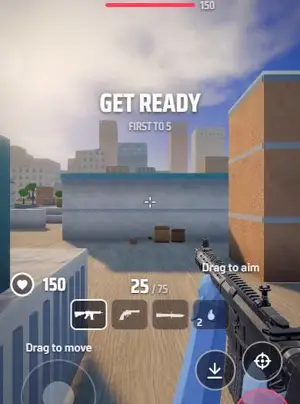
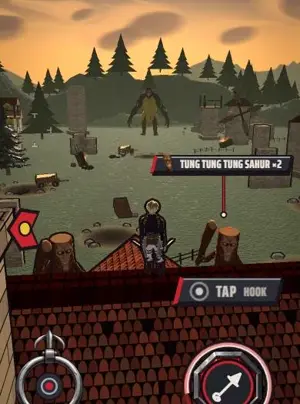
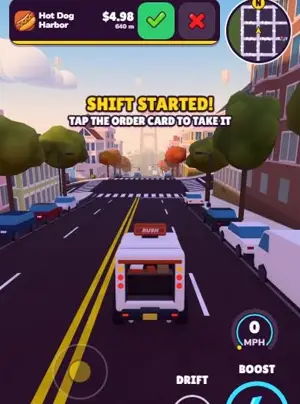
Create your mobile game with Roam
Describe it on your iPhone and play it there. Fix it by talking, then play it with friends.
Try: "one-thumb runner on train roofs, swipe to dodge signals, coins buy a faster train, friends can race me"Roam ("Roam - Make Games" on the App Store) is an iPhone app where you play games and make your own by describing them or from a photo. It is free to download and play, and making games works without a subscription; optional Spark and Reality plans and credit packs add more creation. Android: pre-register on Google Play.
Questions people ask
What do I need to make a mobile game?
Build it in an engine like Unity, Godot or GDevelop, test it on real phones, then publish through Google Play ($25 once) or the App Store ($99 a year, Mac needed).
What is the best engine for mobile games?
Unity is the most common. Godot is a strong free choice, and GDevelop suits beginners who want no code. All three build for Android and iOS.
What are the App Store and Google Play fees?
Google Play charges $25 once and Apple charges $99 a year. Engines can be free. Art, sound and ads cost what you choose to spend.
Should a first mobile game be 2D or 3D?
2D. It is faster to build, runs well on older phones and needs less art. Move to 3D once you have finished one small game.
Sources, checked November 5, 2026
- Google Play developer registration is a US$25 one-time fee: support.google.com
- New personal Google Play accounts must run a closed test with at least 12 testers for 14 days before production: support.google.com
- Apple Developer Program is $99 a year: developer.apple.com
- TestFlight lets developers send beta builds to testers: developer.apple.com
- Godot is free and open source under the MIT license: godotengine.org
- Unity Personal is free up to $200,000 in revenue and funding: unity.com
- Godot iOS export needs macOS with Xcode: docs.godotengine.org
- GameMaker is free for non-commercial use; one-time Professional license for commercial use: gamemaker.io
- GDevelop has a mobile app on iOS and Android: gdevelop.io
- GDevelop exports to Android, and a Cordova project for Android and iOS: gdevelop.io
- Kenney game assets are public domain (CC0): kenney.nl
Product names belong to their owners. Roam is not affiliated with them.
Keep exploring
- How to make a game on iPhone
- How to make a game on your phone
- Mobile game ideas
- How to make a game for free
- How much does it cost to make a game
- How to make a game with AI
More on Roam: All Roam games Games to play, by kind