
How to make a survival game: gather, craft, survive the night
Every survival game runs one loop: a meter drops, you gather, you craft, and night tests what you built. Build that loop first, in the order below, then add content. The steps work in Unity, Unreal, Roblox Studio and Gimkit Creative.
Checked . Roam is our app, and the Roam team wrote this page. See also: Roblox Studio alternative for mobile, Scratch games to make.
Survival game steps, in build order
Don't Starve (Klei Entertainment, 2013) tracks hunger, health and sanity. Minecraft's survival mode uses health and hunger and sends monsters at night. You do not need ten meters.
- 1. Movement and camera. Walk, run and pick things up. Get this feeling right before anything else.
- 2. One need. Hunger drops a little every few seconds. At zero, health drops. Add warmth or thirst only if it changes where players go.
- 3. Things to gather. Trees, rocks and bushes that take a few hits and drop wood, stone and food.
- 4. Inventory and crafting. Three tiers: an axe and a torch, then a fire and a shelter, then walls, traps or a boat that open new areas.
- 5. Day, night and a threat. Day is for gathering, night is for holding out. Make each night a bit harder, and keep the first day short so players learn the stakes early.
- 6. A goal. Survive a number of nights or get rescued. 99 Nights in the Forest on Roblox is built on exactly that promise.
Tool by tool
- Unity. Free under a revenue limit, with long survival tutorial series, including ones for mobile. Write inventory and crafting in C#, and keep item data in ScriptableObjects so recipes are easy to change.
- Unreal Engine. Free to use, with a 5% royalty after $1 million in gross revenue. Blueprints let you build needs, gathering and crafting without writing C++.
- Roblox Studio. Free on Windows and Mac. A Luau script changes Lighting.ClockTime to run the day and night, and each player gets a hunger value that drops over time.
- Gimkit Creative. No code. A forum guide tracks water with Property, Counter and Lifecycle devices wired together, and moves a player to spectators when it hits zero.
Or describe it to Roam
Roam is an app where you describe a game and it comes back playable, solo or with friends. Name the place, the needs and what comes at night. Then tune it by talking: "nights are longer", "add a wolf pack on night 3". Roam is rated 13+ on the App Store.
Play it on Roam
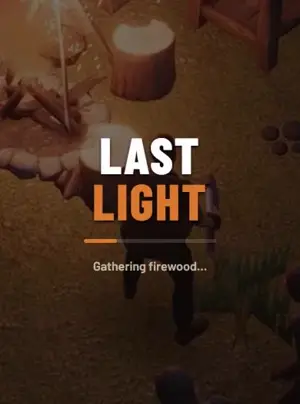
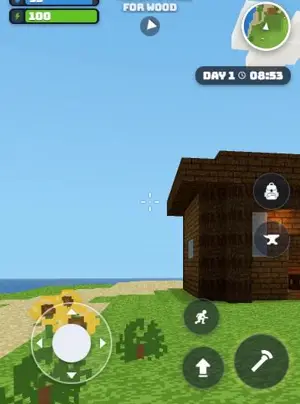
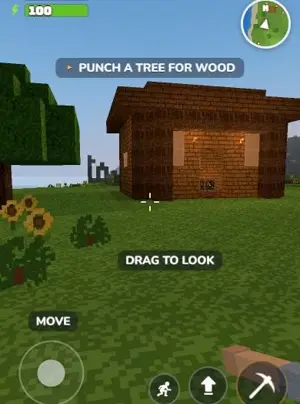
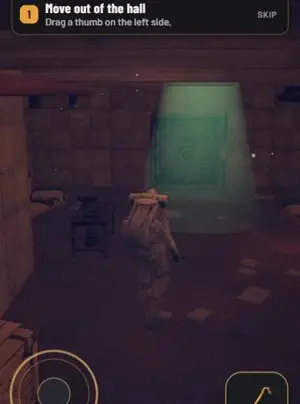
Create your survival game with Roam
Pick the place, one need and the night threat. Play it, then make the nights harder in the same chat.
Try: "survive 10 nights on a frozen island, keep the fire lit, craft spears from driftwood, wolves come at night, friends can join"Roam ("Roam - Make Games" on the App Store) is an iPhone app where you play games and make your own by describing them or from a photo. It is free to download and play, and making games works without a subscription; optional Spark and Reality plans and credit packs add more creation. Android: pre-register on Google Play.
Questions people ask
What is the 80/20 rule in game development?
The idea that a small part of the work gives most of the result. For a survival game, that core is gather, craft and survive the night. Make that fun before adding more items.
Can a 12 year old make a survival game?
Yes, a simple one. Gimkit Creative and Scratch need no prior coding and are free to start. Roam is rated 13+ on the App Store, so it is not for them.
What makes a survival game fun?
Pressure with a way out. Needs that push you to explore, a camp you care about, and nights that test what you built.
How do you make a survival game in Roblox?
In Roblox Studio, script a day-night cycle with Lighting.ClockTime, give each player a hunger value that drops, and spawn enemies after dark.
Sources, checked November 5, 2026
- Don't Starve by Klei Entertainment (2013) tracks hunger, health and sanity: en.wikipedia.org
- Minecraft survival mode: health, hunger and hostile mobs at night: minecraft.wiki
- 99 Nights in the Forest is a Roblox survival game: gather by day, survive the nights: pcgamer.com
- Unity tutorial series for a mobile survival game: youtube.com
- Unity Personal is free under a revenue and funding limit: unity.com
- Unreal Engine is free to use; 5% royalty after $1 million gross revenue: unrealengine.com
- Roblox Lighting.ClockTime sets the time of day: create.roblox.com
- Roblox Studio is a free application available on Windows and Mac: create.roblox.com
- Gimkit Creative survival guide: water tracked with Property, Counter and Lifecycle devices; player moved to spectators at zero: forum.creative.gimkit.com
- Gimkit Creative lets you build your own games with no coding: blog.gimkit.com
- Last Light on Roam: roam.gg
Product names belong to their owners. Roam is not affiliated with them.
Keep exploring
- How to make a horror game
- How to make a farming game
- How to make a match 3 game
- How to make a mystery game
- How to make a party game
- How to make a sports game
More on Roam: All Roam games Games to play, by kind