
Scratch games to make, easiest first
Start with a clicker or a catch game. Both have an official Scratch tutorial and need only a few blocks. Below are ten beginner games in the order most people can build them.


Quick answer
Good first Scratch games are a clicker, a catch game, a chase game, a jumping game, Pong, a virtual pet and a character designer. The Scratch Foundation has a tutorial, coding cards or a video for each one. Then try a maze, a quiz and a two-player duel. If you want a game on your phone without blocks, Roam on iPhone makes one from a sentence.
Updated . Roam is our app, and the Roam team wrote this page. Roam is free to download and play on iPhone, and making works without a subscription; optional Spark and Reality plans and credit packs add more creation. Android: pre-register on Google Play.
At a glance
| Scratch | Roam | |
|---|---|---|
| Where you make it | Scratch website on a computer or tablet, or the offline Scratch app | Roam app on iPhone (Android: pre-register) |
| How you build | Snap code blocks together, one sprite at a time | Describe it in a sentence or start from a photo, then change it by talking |
| What you practice | Loops, conditionals, variables and events | No code. You steer the game by asking for changes |
| Help to start | Interactive tutorials, coding cards, videos and educator guides | A sentence or a photo |
| Phones | Shared projects can be played on most smartphones, but not made there | Made and played in the Roam app on iPhone |
| Cost | Free for everyone | Free to download and play; making works without a subscription. Optional Spark and Reality plans and credit packs add more creation |
| Age rating | Not an App Store app (web editor and offline app) | 13+ (App Store) |
Scratch facts come from the Scratch Foundation, Scratch help pages and the Scratch Wiki. Roam does not publish limits.
Seven starter games with an official Scratch tutorial
The Scratch Foundation's Learning Library has a page for each. Some open as an interactive tutorial in the editor, others come as coding cards and a video.
- 1. Clicker game Click a sprite to score. Use "when this sprite clicked", "change score by 1" and "go to random position". Interactive tutorial and video.
- 2. Catch game Things fall from the sky and you catch them. A "forever" loop with "change y by -5", an "if touching" check and a score variable. Coding cards and video.
- 3. Chase game Steer a sprite with the arrow keys and chase another one. Key blocks: "when right arrow key pressed", "change x by 10", and a score that goes up on each catch. Interactive tutorial.
- 4. Jumping game A character jumps over moving obstacles to score. Use "repeat" with "change y by" for the jump and "if touching" then "stop all" for a crash. Coding cards and video.
- 5. Pong A bouncing ball and a paddle. "move 10 steps" and "if on edge, bounce" do most of the work. Scratch's version adds a score, a Game Over screen and levels. Interactive tutorial.
- 6. Virtual pet Introduce a pet, animate it, feed it and track its hunger. A hunger variable that drops over time and a food button that raises it. Coding cards and video.
- 7. Character designer A dress-up game where the player customizes a character. Each part is a sprite that runs "next costume" when clicked. Video and a starter project.
Three next games once those work
No official tutorial here, just the same blocks with one new idea each.
- 8. Maze Draw walls in one color. If the player is "touching color" of a wall, send it back with "go to x: y:". A goal sprite ends the level.
- 9. Quiz Use "ask and wait" and check the "answer" with "if else". Add a "timer" so slow answers lose points.
- 10. Two-player duel Two sprites on one keyboard, one on the arrow keys and one on W A S D. Give each a score variable and reset the round with "broadcast".
Make a beginner game feel good
Small touches matter more than size. Speed things up as the score grows. Play a sound on every point. Add a countdown so there is a reason to hurry.
The phone path: describe it on Roam
Roam skips the blocks. You describe the game in a sentence, or start from a photo, and it comes back as a game you can play. Then you change it by talking: "make the apples fall faster", "add a second player". Roam does not make Scratch projects. You play it in the Roam app on iPhone.
Roam is rated 13+ on the App Store. A younger Scratch maker can try an idea with a parent, on the parent's phone. Scratch is still the place to learn how code works.
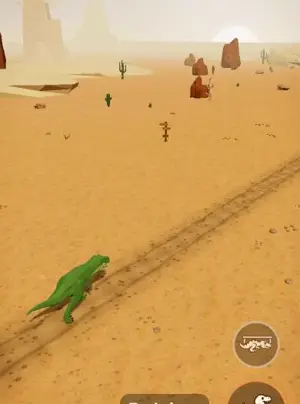
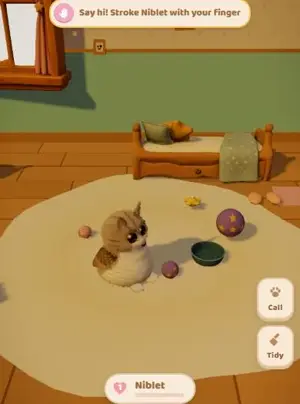
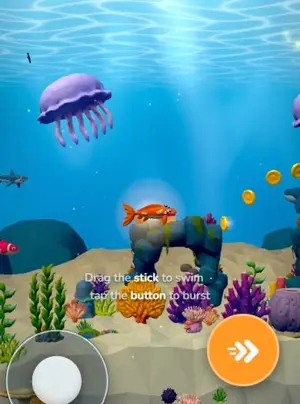
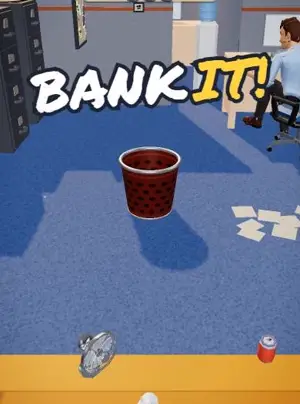
Games people made on Roam
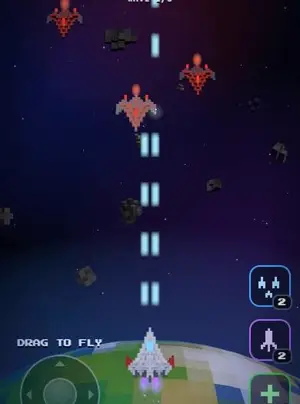
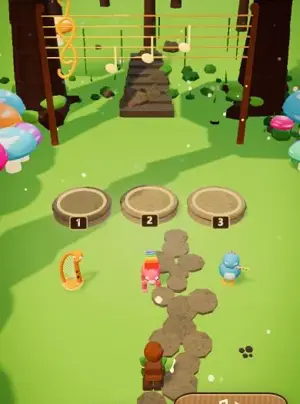
Try your Scratch idea as a phone game
Say the game you planned out loud. Roam builds it, and you fix it by talking. Roam is rated 13+ on the App Store.
Try: "catch game: slide a basket, apples fall faster every 5 points, a bomb costs a life, 3 lives"
Questions people ask
What is the easiest game to make on Scratch?
A clicker or a catch game. Both need only a few motion, event and variable blocks, and the Scratch Foundation has a free tutorial for each.
Can you make Scratch games on a phone?
Not really. Scratch support says you can play, but not create, projects on most smartphones. Build on a computer or a tablet.
What Scratch games are good for beginners?
Start with a clicker, a catch game or a chase game, then move on to a jumping game and Pong. The Scratch Foundation has a tutorial, coding cards or a video for each of them.
What is a fun Scratch game to make with a friend?
A two-player duel: two sprites on one keyboard, one on the arrow keys and one on W A S D, each with its own score. Build it once the starter games work.
Where can I learn the Scratch basics first?
Our how to make a game in Scratch page covers the basics, and the Scratch Foundation's own tutorials cover each starter game above.
Sources, checked Nov 4, 2026
- Scratch Foundation Learning Library: Clicker Game
- Scratch Foundation Learning Library: Catch Game
- Scratch Foundation Learning Library: Chase Game
- Scratch Foundation Learning Library: Jumping Game
- Scratch Foundation Learning Library: Pong Game
- Scratch Foundation Learning Library: Virtual Pet
- Scratch Foundation Learning Library: Character Designer
- Scratch Foundation (Scratch is free for everyone)
- Scratch support: Can I use Scratch on my phone or tablet?
- Scratch help: For Parents (ages 8 to 16, all ages)
- Scratch Wiki: Scratch (online and offline editor, ScratchJr)
- Roam on the App Store (13+)
Product names belong to their owners. Roam is not affiliated with them. Facts change: check each product's own site before you choose.