
How to make a game on Astrocade: the app, the website and tips
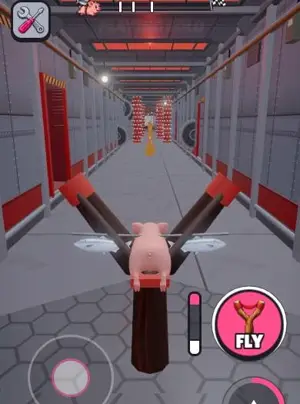
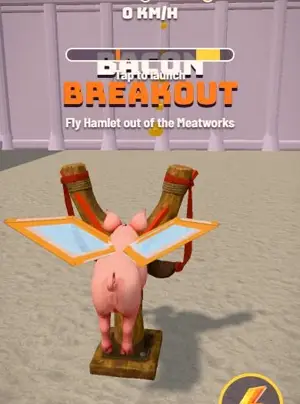
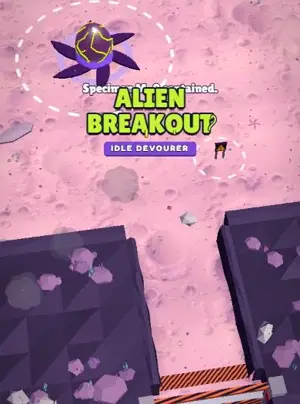
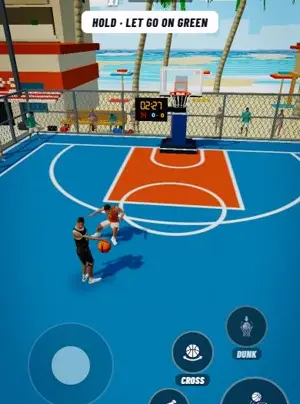
This is Astrocade the AI game app, not the 1970s Bally console. You tap Create, describe the game in your own words, then play, tweak and publish it.


Quick answer
To make a game on Astrocade, open the app or astrocade.com, tap Create and describe the game you want. Its AI builds the art, sound and gameplay. You play it, ask for changes, then publish it for other players. No code is needed. Roam is another option on iPhone, where friends can play in the game.
Updated . Roam is our app, and the Roam team wrote this page. Roam is free to download and play on iPhone, and making works without a subscription; optional Spark and Reality plans and credit packs add more creation. Android: pre-register on Google Play.
How to make a game in the Astrocade app
These steps come from Astrocade's Google Play listing. The iPhone app works the same way.
- 1. Tap Create Open the app and tap Create. Astrocade's guides say to make a free account first.
- 2. Describe the game Write the game you want in your own words. Astrocade calls these prompts "wishes".
- 3. Play and tweak it Its AI builds the art, sound and gameplay. Play the first version, then send more wishes to fix what feels off.
- 4. Publish and share Hit Publish so other players can find it, then send the link to friends. They can challenge you and compare scores.
How to make a game on the Astrocade website
Go to astrocade.com, sign in and open Create. Astrocade's guide to story games says to describe the world, the main character and the goal in a few sentences. You can edit scenes, change lines or add endings before you hit Publish.
Published games go into the Astrocade gallery, where other people can remix them. The Studio menu also has Analytics, Comments and Earn pages.
Making a game: Astrocade and Roam
| Astrocade | Roam | |
|---|---|---|
| Where you make it | Web (astrocade.com), iPhone app, Android app | iPhone app (Android: pre-register on Google Play) |
| What you type | A "wish": your idea in your own words | A sentence, or a photo of a friend, a pet or a meme |
| How you change it | More "edit wishes" | Say what to change, like "more enemies" |
| Playing with friends | Share a link, challenge friends, compare scores | Play solo or with friends |
| Cost to make | Play listing says free; terms also describe subscriptions, trials and credit limits | Free to download, and making works without a subscription; optional Spark and Reality plans and credit packs add more |
| Who owns it | You own your content; AI-made parts stay Astrocade Content under a limited license | You keep ownership. Roam gets a license to run, improve and showcase it; you can opt out of AI improvement |
| Age rating | App Store 13+; terms bar anyone under 13 | 13+ (App Store) |
Astrocade facts come from its Google Play and App Store listings, its Astro Academy lessons and its Terms of Service (updated April 8, 2025).
Tips from Astrocade's own lessons
Astrocade runs a free course called Astro Academy, built around making games on Astrocade. Its first lessons are about design, and the advice works on any tool.
- Start with one verb Lesson 1 names core actions such as matching, merging and launching. Lesson 2 says to pick the one core verb at the heart of your game and build a playable demo of only that.
- Fast time to fun Lesson 1 says the fun should start about 5 to 15 seconds after the player taps play.
- Many small edit wishes Lesson 3 says to make as many edit wishes as you need, and to test with real players before you polish.
What to check before you start
Cost: the Play FAQ says playing and making games is free. The terms still describe subscriptions, 7-day trials and credit limits that can change. No prices are published.
Ownership: you own your content, but AI-made parts stay Astrocade Content, under a limited license to make and publish games on Astrocade. The terms do not mention export.
Age: the terms bar anyone under 13, and minors need a parent or guardian's supervision.
Or make one on your iPhone with Roam
Roam takes a different route if you want the game to be about your friends. Describe it in a sentence, or drop in a photo of your group, your dog or a meme. It comes back playable, and you change it by talking. No code, no engine, no project files.
Play it solo or with friends. Roam is on iPhone, with no web, PC or Android version, so pick Astrocade if you need a browser or Android today.
Games people made on Roam
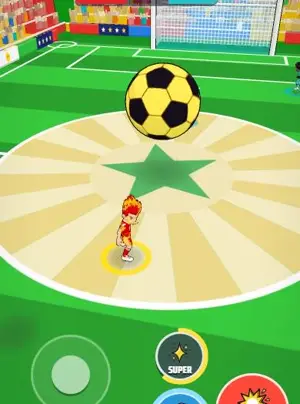
Make a short game with your friends in it
Roam is free to download on iPhone. Describe the game or drop a photo, then play it solo or together.
Try: "one-tap arcade game, my dog launches off a ramp, my friends are the birds in the way, 3 lives"
Questions people ask
What should I check before making an Astrocade game?
Its terms. They describe subscriptions, free trials and credit limits that can change, and the AI-made parts of a game stay Astrocade Content. Our Astrocade alternative page has the full cost and ownership facts.
Do you need to code to make a game on Astrocade?
No. You describe the idea and the AI builds the art, sound and gameplay. You change it with more wishes, not code.
Can you make an Astrocade game on your phone?
Yes. The Astrocade app has been on the App Store since October 8, 2026, and is also on Google Play. Tap Create, describe the game, then play and publish it.
Can you make money from Astrocade games?
Astrocade's Google Play FAQ says creators can earn money based on the plays their games get. The Astrocade Studio menu also has an Earn page.
Who owns a game you make on Astrocade?
Astrocade's terms say you own your content, but the AI-made parts stay Astrocade Content. You get a limited license to use them for games on Astrocade. On Roam, the terms say you keep ownership of what you make, and Roam gets a license to run, improve and showcase it.
Sources, checked Nov 4, 2026
- Astrocade on Google Play (how to make a game, FAQ)
- Astrocade on the App Store
- Astrocade Terms of Service
- Astrocade Studio (Create)
- Astro Academy lesson 1
- Astro Academy lesson 2
- Astro Academy lesson 3
- Astrocade blog: guide to AI storytelling games
- Bally Astrocade (Wikipedia)
- Roam Terms
- Roam on the App Store
Product names belong to their owners. Roam is not affiliated with them. Facts change: check each product's own site before you choose.