

How to make a game in Castle, step by step
Castle games are called decks, and you build them in the phone app. You place actors, draw them, then give them rules. Here are the steps from Castle's own guide.


Quick answer
To make a game in Castle, sign in to the app, open the Create tab and tap New Deck. Pick a kit or a blank deck, drag actors into the scene, edit a blueprint to draw your character, then add behaviors and rules. Press play to test, then publish. If you would rather describe a game than build it, Roam on iPhone makes one from a sentence.
Updated . Roam is our app, and the Roam team wrote this page. Roam is free to download and play on iPhone, and making works without a subscription; optional Spark and Reality plans and credit packs add more creation. Android: pre-register on Google Play.
Castle's own steps for a first deck
Castle's docs walk you through a first deck built on the Meadowland kit. This is the short version. Menu names can change between app versions.
- 1. Start a deck Sign in, open the Create tab and tap New Deck. Pick the Meadowland kit, another kit, or a blank deck.
- 2. Move actors Actors are the things in your scene. Drag them where you want, then press play to test.
- 3. Draw your character Tap the Character actor, then Edit Blueprint. Open its artwork and redraw it with the pencil, fill and shape tools.
- 4. Make a new blueprint A blueprint is a recipe for an actor. Tap the plus on the belt and make one, like the guide's Growth Potion.
- 5. Add behaviors In the Movement tab, add physics or controls, such as Slingshot. Behaviors set how an actor moves.
- 6. Add rules In the Rules tab, pick a trigger and a response. The guide's example: when the potion touches the character, destroy the potion and make the character grow.
- 7. Add logic, then publish Use variables and conditions for scores and gates. For more levels, add the response that sends the player to a different card. When it plays right, publish the deck.
At a glance
| Castle | Roam | |
|---|---|---|
| Where you make it | Castle app on Android or iOS | Roam app on iPhone (Android: pre-register) |
| Where it is played | Castle app, or a modern web browser | In the Roam app on iPhone |
| How you build | Editor: actors, blueprints, drawing, behaviors, rules. Lua scripts optional | Describe it in a sentence or start from a photo, then change it by talking |
| Starting points | Kits, templates, a blank deck, or a remix | A sentence or a photo |
| Multiplayer | Real-time shared state. You set up which actors sync | Play solo or with friends |
| Cost to make | Free to make and share. Optional in-app purchases, like Bricks and Dweller | Free to download and play; making works without a subscription. Optional Spark and Reality plans and credit packs add more creation |
| Who owns it | Your materials stay yours. Castle gets a license to use and share them for the service | You keep ownership. Roam gets a license to run, improve and showcase it; you can opt out of AI improvement |
| Age rating | 13+ (App Store) | 13+ (App Store) |
Castle's prices are on its App Store listing.
What Castle asks of you
Castle is a real editor. You think in actors, rules, triggers and conditions. That is good if you want to learn how games work. The Castle Academy videos and the Discord help. Lua scripting exists, but the docs say you do not need it.
Multiplayer is possible too. Castle supports real-time shared state, but you set it up yourself: which actors sync between players, and which session type the deck uses.
To make a deck you need an Android or iOS device for now, per Castle's FAQ. Anyone can play a published deck in a modern web browser.
Castle Sprunki games and remixes
Many people look for a Castle Sprunki maker. Castle's docs do not mention a Sprunki kit or template. The Sprunki decks you find on Castle are made by users.
The usual way to start one is a remix. Open a deck, press the share button at the bottom right and choose Remix. Castle makes a private copy on your profile that you can edit.
The other phone path: describe it on Roam
Roam skips the editor. You describe the game in a sentence, or start from a photo, and it comes back playable. Then you change it by talking: "make the potion double your size", "add a second player". No actors, no rules tabs, no code.
The trade-off is control. In Castle you tune every rule by hand, and your deck also plays on the web. In Roam you steer by asking, and the game lives in the Roam app on iPhone.
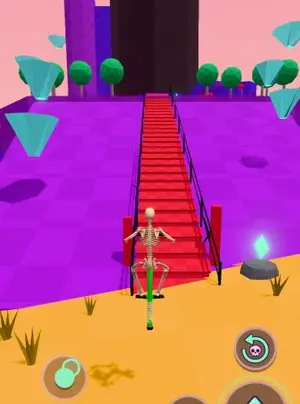
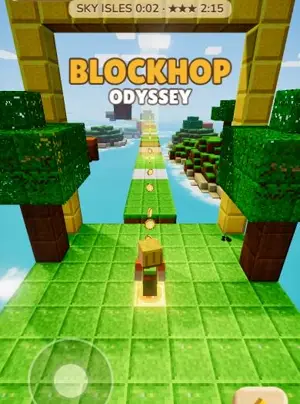
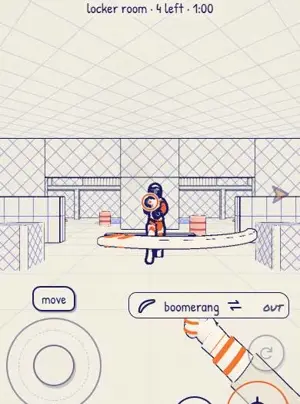
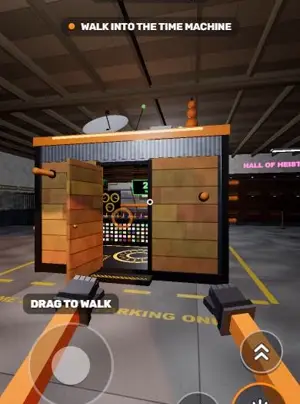
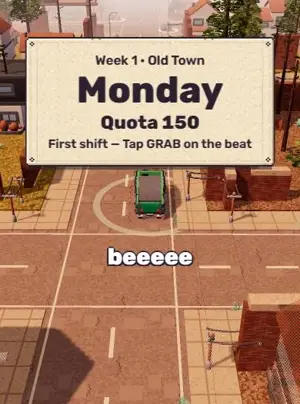
Games people made on Roam
Try your Castle idea on Roam
Take the deck you planned and say it out loud. Roam builds it, and you fix it by talking.
Try: "meadow platformer, a potion makes you grow, a worm appears when you collect 42 apples"
Questions people ask
Is Castle free to make games?
Yes. Castle's store listing says creating and sharing games never requires an in-app purchase. Some extras cost money, like boosting a game to reach more players. Bricks and Dweller are optional purchases.
Can you make a Castle game on a computer?
Not today, per Castle's FAQ: making a deck needs an Android or iOS device. Published decks can be played in any modern web browser.
Can you make a multiplayer game in Castle?
Yes. Castle supports real-time shared state. You choose which actors sync between players in the Multiplayer settings of the Logic tab.
How do you remix a game on Castle?
Open the deck, press the share button at the bottom right and choose Remix. That makes a private copy on your profile to edit.
Do you need to code in Castle?
No. Rules and behaviors cover most games. Lua scripting is there for people who want it, and Castle's docs say it is optional.
Sources, checked Nov 4, 2026
- Castle Docs: How To Make Your First Castle Deck
- Castle Docs: Frequently Asked Questions
- Castle Docs: Intro to scripting
- Castle Docs: Introduction to Multiplayer
- Castle Docs: Shared blueprints
- Castle Docs: Card
- Castle Docs: Castle Academy
- Castle Support
- Castle - Make and Play on the App Store (prices, 13+)
- Castle on Google Play
- Castle Terms of Service
- A user-made Sprunki deck on Castle
- Roam Terms of Service
- Roam on the App Store (13+)
Product names belong to their owners. Roam is not affiliated with them. Facts change: check each product's own site before you choose.