

How to make a game in Websim, from first prompt to the feed
Websim is a browser-based AI maker at websim.com. You log in, click Create, describe the game in plain words, then test it and click Post when it works.


Quick answer
Go to websim.com and log in. Click Create and type your game idea; Websim's AI writes the code. Play it, then keep asking for changes. You can also connect your own ChatGPT account in the Build tab without using Websim credits. Click Post to share it, and others can like, tip and remix it. On an iPhone, Roam makes a game from a sentence or a photo.
Updated . Roam is our app, and the Roam team wrote this page. Roam is free to download and play on iPhone, and making works without a subscription; optional Spark and Reality plans and credit packs add more creation. Android: pre-register on Google Play.
Before you start
Websim runs on the web, not as an app you install. You need an account: Log In sits next to Create at the top of websim.com. Websim has no help center or step-by-step game tutorial on its public pages, so the steps below come from its own blog posts, checked November 4, 2026.
Make a game in Websim: the steps
- 1. Log in and click Create. It sits in the top bar.
- 2. Type your idea. Say what the player does, how they control it and what ends the game. Websim's AI writes the code. Add the word "ai" if the game needs AI, like a talking character.
- 3. Test it, then ask for one change at a time. If the agent gets confused, type /clear for a fresh start. Your files stay.
- 4. Make it multiplayer if you want. Websim says anything can be made multiplayer, but it does not publish the steps for turning it on.
- 5. Click Post. Websim's words: click Post and send it to the feed. People can like, comment on, tip and remix it.
Websim and Roam: what each path needs
| Websim | Roam | |
|---|---|---|
| Where you make it | websim.com in a browser. No App Store app listed on its site or blog | The Roam app on iPhone (Android: pre-register on Google Play) |
| How you change it | Keep chatting with its AI or the Build agent, which writes code | Talk to it: "more enemies", "make it two-player". No code |
| Free to start | Free models, credits from rewards and tips, or your own ChatGPT account. Free daily credits ended January 2026 | Free to download and play; making works without a subscription. Optional Spark and Reality plans and credit packs add more creation |
| Play with friends | Its blog says anything can be made multiplayer | Yes. Play solo or with friends |
| Who owns the game | You keep ownership. Websim gets a perpetual, irrevocable license that covers training its AI | You keep ownership. Roam gets a license to run, improve and showcase it; you can opt out of AI improvement |
| Age rating | Web tool, no store rating. Terms: not for children under 13 | 13+ (App Store) |
Websim facts come from its home page, blog posts (October 28, November 7 and November 13, 2025; January 12, July 16 and August 21, 2026) and Terms of Service (last modified August 29, 2024). Roam does not publish its free limits.
Build with your own ChatGPT account
Since July 16, 2026, Websim lets you build with an agent that runs on your ChatGPT account. A free account works, and it does not use your Websim credits. Open your project, click the hammer icon in the right sidebar, choose Connect ChatGPT, and paste the one-time code into ChatGPT. The code lasts 15 minutes.
Credits: what is free now
On January 12, 2026 Websim ended its free daily credits. You can still use free models, and engagement rewards and tips still earn credits. You can also buy credits once, or pick a Starter or Pro plan; their prices are not on Websim's public pages. Websim Max, a premium model, is in the Build mode model picker.
Who owns your Websim game
Websim's terms say you keep ownership. You also give Websim a perpetual, irrevocable license, which includes training its AI models. The terms say Websim is not for children under 13.
Can you make a Websim game on your phone?
Websim's blog says it works on any device, but it gives no phone steps, and its site and blog list no App Store app as of November 4, 2026.
The phone path: make a game on Roam
- 1. Get Roam on your iPhone. Roam is free to download and play, and making games works without a subscription. Optional Spark and Reality plans and credit packs add more creation.
- 2. Describe it or add a photo. One sentence is enough. A photo of a friend, a pet or a meme works too.
- 3. Change it by talking, then play. Say "more enemies" or "make it two-player". Play solo or with friends.
Which path fits you
Pick Websim if you work on a laptop, want to see the code, make apps too, or want people to remix your work. Pick Roam if you only have your phone and want a game to play with friends tonight. Roam has no web or PC version.
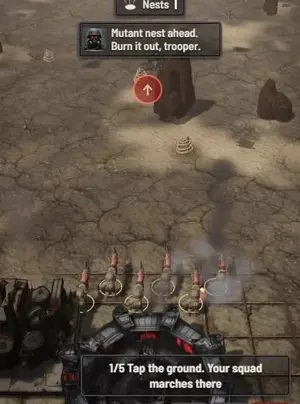
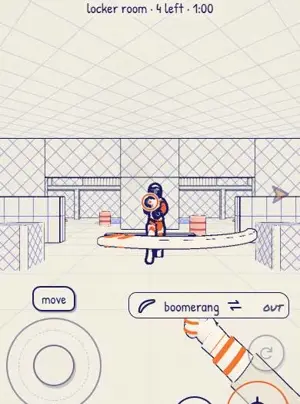
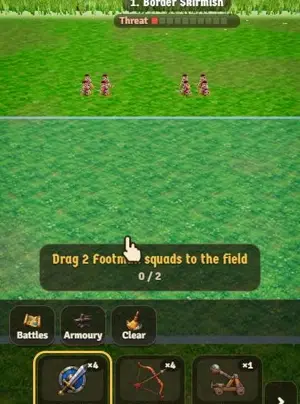
Games people made on Roam

No browser tab, no code: make it on your phone
Say the game you would have built on Websim, or add a photo, and play it on your iPhone with your friends.
Try: "a tank battle on a paper map, my friends each drive one tank"
Questions people ask
Is Websim free to make games?
Partly. Free daily credits ended in January 2026, but you can still use free models, and rewards and tips still earn credits. You can also build with your own ChatGPT account, even a free one, without using Websim credits.
Do I need to code to make a game in Websim?
No. You describe the game and Websim's AI writes the code. You fix it by asking for changes in plain words.
Can you make a multiplayer game in Websim?
Yes. Websim says anything can be made multiplayer, and since August 2026 posting an update no longer kicks players out mid-game.
Can I use Websim on my phone?
Websim says it is browser-based and works on any device, but it lists no App Store app. Roam is an iPhone app that makes a game from a sentence or a photo.
How do I remix a game on Websim?
People can remix a posted project. A remixer can choose Suggest to original to send changes back, and the maker can press Merge to pull in the parts that fit.
Sources, checked Nov 4, 2026
- Websim home page
- What Is Websim? (Nov 13, 2025)
- Websim: Build AI apps quickly
- Websim: AI coding for beginners
- Websim: Update on Daily Credits (Jan 12, 2026)
- Websim: Build with your ChatGPT account (Jul 16, 2026)
- Websim Updates (Aug 21, 2026)
- Websim Terms of Service
- Roam Terms
- Roam on the App Store
Product names belong to their owners. Roam is not affiliated with them. Facts change: check each product's own site before you choose.