
ChatGPT game prompts: games to play in chat, and prompts that build one
Some game prompts turn ChatGPT into the game. Others make it write one. Below are prompts to copy for both, plus the tips that keep a chat game on track.


Quick answer
The best ChatGPT game prompts set the rules, the turn order and what ChatGPT shows each turn: a text adventure with numbered choices, a solo RPG with dice rolls, a detective case with a secret culprit. To get a playable game instead, ask for one HTML file with a goal, a lose rule, controls and a score. Roam, an iPhone app, turns a one-sentence prompt into a playable game.
Updated . Roam is our app, and the Roam team wrote this page. Roam is free to download and play on iPhone, and making works without a subscription; optional Spark and Reality plans and credit packs add more creation. Android: pre-register on Google Play.
Three ways to use a game prompt
| Play in ChatGPT | Build with ChatGPT | Roam | |
|---|---|---|---|
| What you get | A text game inside the chat | Code, usually one HTML file | A playable game, with no code or project files |
| Where you play | The chat, on web, iOS or Android | A web browser on a computer, once you save the file; Sites can host it on Plus, Pro and business plans | In the Roam app on iPhone |
| Skill needed | None: paste the prompt | Save and open files, paste errors back, host it yourself | None: describe it, then say what to change |
| Price to start | Free plan | Free plan for chat; Sites needs Plus, Pro or a business plan | Free to download and play; making works without a subscription. Optional Spark and Reality plans and credit packs add more creation |
ChatGPT plan details are from OpenAI pricing and Sites pages, checked Nov 4, 2026.
Two kinds of ChatGPT game prompts
A play prompt makes ChatGPT the game. It describes the scene, keeps score and waits for your move.
A build prompt makes ChatGPT write a game: code you save, open and fix. Pick by what you want, a story to play now or a small game to keep.
Prompts to play a game with ChatGPT
Paste one into a new chat. Each sets the rules, the turn order and what ChatGPT shows every turn.
- Text adventure: "Run a text adventure in a flooded subway station. Describe each scene in 3 sentences, give me 3 numbered choices, track my health and items, and wait for my move."
- Solo RPG: "Be the game master for a solo fantasy RPG. I start at level 1 with 10 HP. Roll dice for every fight and show the roll. End each turn with a status line: HP, gold, current quest."
- Detective case: "Make up a murder case with 4 suspects and one secret culprit. I can question each suspect 3 times. When I accuse someone, say if I am right and show the clues I missed."
- 20 questions: "Think of an animal and keep it secret. I get 20 yes or no questions. Number each one."
Tips that keep a chat game working
- A status line every turn. Ask for score, health and items at the end of each reply, so you can spot a mistake fast.
- "Wait for my move." Without it, ChatGPT may play your turn or skip ahead in the story.
- Start fresh. If a long game loses track, open a new chat and paste the prompt with the last status line.
Prompts that get ChatGPT to build a playable game
Here the prompt asks for code. One small game in one HTML file is the easiest to run: save it, then open it in a web browser on a computer.
Template: "Make a [genre] game in one HTML file. The player [goal]. You lose when [rule]. Controls: arrow keys and touch. Add a score and a restart button."
When something breaks, paste the error back and ask for the whole file again. On Plus, Pro and business plans, ChatGPT Sites (in public beta) can build a game, publish it and share it. Sites is not on the Free or Go plans.
Gemini Canvas game prompts
The same build prompts work in Gemini. Select Canvas below the prompt bar and describe the game. Google says Canvas writes the code for a working, shareable app or game, and is available for all Gemini users.
A prompt that makes a playable game on your phone
On Roam, an iPhone app, the prompt is the whole job. Write the game in a sentence, or start from a photo, and it comes back playable. There is no code, no engine and no file to save or host.
Then you change it by talking: "more enemies", "make it two-player". Play it solo or with friends.
How it works on Roam
- Write one sentence with a genre, a place, a goal and a way to lose.
- Type it into Roam on your iPhone, or add a photo.
- Play it, then send one change at a time.
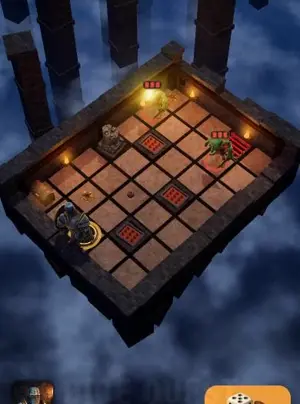
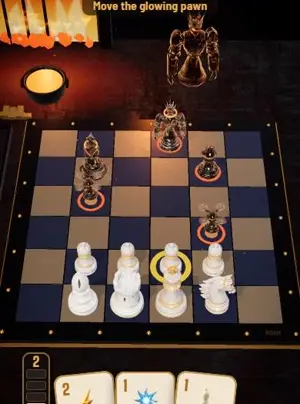
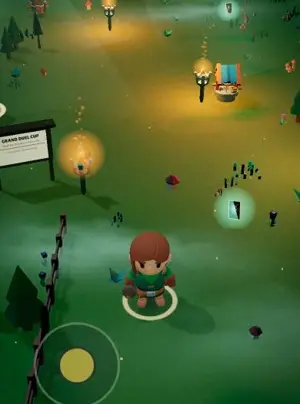
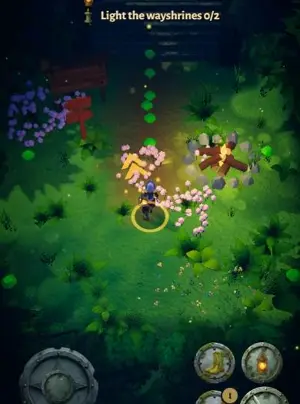
Games people made on Roam

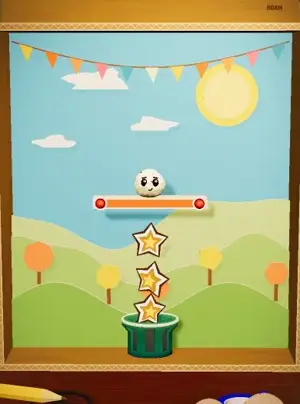
Turn your game prompt into a game on Roam
Roam is free to download on iPhone. Type the prompt you would give a chatbot, and play the game that comes back.
Try: "detective game in a snowed-in hotel, 4 suspects, one is lying, my friends play the other detectives"
Questions people ask
What are the best ChatGPT game prompts?
The ones that set the rules up front: the setting, the turn order and how you win or lose. Ask for a status line every turn and tell ChatGPT to wait for your move.
What games can you play with ChatGPT?
Text games work best: text adventures, solo RPGs with dice rolls, detective cases and 20 questions.
What is a good ChatGPT prompt to make a game?
Ask for one small game in one HTML file. Name the genre, the goal, how you lose, the controls and the score, for example "a Snake game in one HTML file with touch controls and a high score".
Do Gemini Canvas game prompts work the same way?
Yes. Select Canvas below the prompt bar in Gemini, paste the same build prompt, and Canvas writes the code.
Is there a prompt that makes a real game on my phone?
On iPhone, Roam turns a one-sentence prompt into a playable game you change by talking. Roam is free to download and play, and making games works without a subscription. Optional Spark and Reality plans and credit packs add more creation.
Sources, checked Nov 4, 2026
- ChatGPT plans and pricing (Free plan; Sites on Plus and Pro, not Free or Go)
- ChatGPT Sites (websites, apps and games; public beta on Plus, Pro, Business, Enterprise and Edu)
- Gemini Canvas overview
- Roam on the App Store
Product names belong to their owners. Roam is not affiliated with them. Facts change: check each product's own site before you choose.