
Gemini game maker: make a game with Gemini Canvas, step by step
Gemini can make a small game for you. Turn on Canvas, describe the game, and Gemini writes the code and shows a preview you can play. Here are Google's own steps.


Quick answer
Yes, Gemini can make a game. Pick Canvas below the text box in the Gemini app or at gemini.google.com, describe the game, and Gemini writes the code and previews it. Canvas is on the Free plan. You fix it by asking again and share it with a g.co link. To make a game on your iPhone without code, Roam turns a sentence into a playable game.
Updated . Roam is our app, and the Roam team wrote this page. Roam is free to download and play on iPhone, and making works without a subscription; optional Spark and Reality plans and credit packs add more creation. Android: pre-register on Google Play.
At a glance
| Gemini Canvas | Google AI Studio Build | Roam | |
|---|---|---|---|
| Price to start | Included in the Free plan ($0 with a Google Account) | No cost to start, per Google's plans page; paid models and Cloud Run hosting may cost money | Free to download; making games works without a subscription. Optional Spark and Reality plans and credit packs add more creation |
| Where you build | gemini.google.com or the Gemini mobile app | Google AI Studio on the web | The Roam app on iPhone |
| What you get back | Code plus a preview you can play in the Canvas panel | A web app or a native Android app, with a live preview | A playable game |
| Sharing | A g.co/gemini/share link that opens only on gemini.google.com | Private by default; you can share it or deploy to Cloud Run | Play solo or with friends |
| Playing together live | Not published | Google says you can build real-time collaborative apps | Play solo or with friends |
Gemini plan prices and model names come from Google's subscriptions page on Nov 4, 2026, and may change.
Can Gemini make a game?
Yes. Google describes Canvas as a way to bring ideas to life as apps, games, infographics and more. Its examples include a sound memory game and a 3D planet generator. Google says Canvas is available for all Gemini users, and the Free plan lists it.
Canvas works best on small games with clear rules: Snake, Pong, Breakout, a memory game, a quiz. Name the controls, how you win and how you lose. Bigger games take more rounds of fixing.
Steps: make a game in Gemini on a computer
- 1. Open Canvas. Go to gemini.google.com. Below the text box, click Add files, then choose Canvas.
- 2. Describe the game. Type your prompt and click Submit. Example: "A Breakout game with touch and arrow keys, 3 lives and a high score."
- 3. Play the preview. The game shows up in the Canvas panel. If something breaks, click Show console to see errors and logs.
- 4. Change it. Ask for one change at a time in the text box, or click Code to edit the code yourself.
- 5. Share it. Click Share & export, then Share, and copy the g.co/gemini/share link.
Steps: make a game with Gemini on your phone
In the Gemini mobile app, tap Add below the text box, then tap Canvas. Enter your prompt and tap Submit. Tap Preview at the top to play it, or Show console to see errors.
There are limits. Shared links only open on gemini.google.com, not in the Gemini mobile app. Copying and editing someone else's shared Canvas is not available to users under 18.
Gemini 3 or a newer model?
Google's Canvas page still says Pro and Ultra subscribers get Canvas with Gemini 3. On Nov 4, 2026, the subscriptions page lists Flash-Lite on Free, Flash on Google AI Plus ($4.99 a month) and Gemini 4 Argon on Google AI Pro ($19.99) and Ultra (from $99.99). The steps are the same on every model.
Google AI Studio Build: for bigger projects
Google AI Studio has a Build mode. Describe an app and Gemini generates it, with a live preview next to the chat. You can pick a web app or a native Android app and deploy to Cloud Run. It is closer to a developer tool, and paid models or hosting may cost money.
Can Gemini make a Roblox game?
Gemini can write Luau, the scripting language Roblox uses. You still build the world, add the scripts and publish the game in Roblox Studio, a free app for Windows and Mac. So you need a computer.
The phone path: describe the game on Roam
The Gemini paths give you code and a preview that you test and fix. Roam gives you a game inside an iPhone app.
Type the game in a sentence or start from a photo, and it comes back playable. Change it by talking: "more enemies", "add a boss". No code, no engine, no project files. Play it solo or with friends, and keep ownership of what you make.
How it works on Roam
- Download Roam on your iPhone. It is free to download and play, and making games works without a subscription. Optional Spark and Reality plans and credit packs add more creation.
- Type the game in one sentence, or start from a photo.
- Play what comes back, then say what to change.
- Invite friends into the game when it is ready.
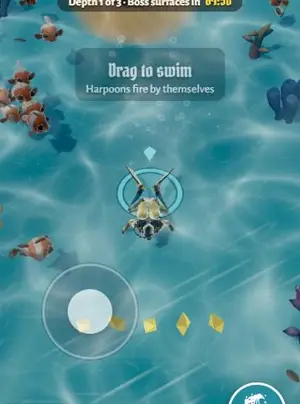
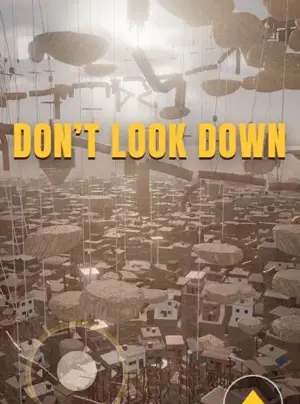
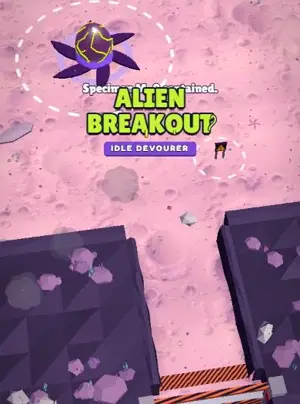
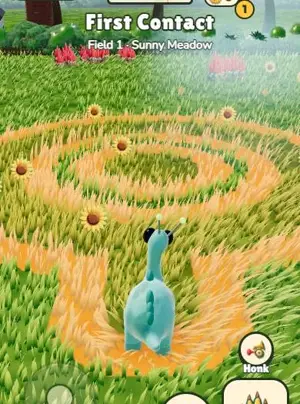
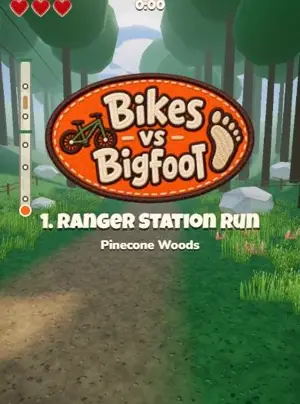
Games people made on Roam
Want the game, not the code?
Roam is free to download on iPhone. Type the game you would have asked Gemini for, and play it with friends.
Try: "a jumping game where my cat climbs a stack of pancakes and dodges falling syrup"
Questions people ask
Can Gemini make a game?
Yes. With Canvas, Gemini writes the game code and shows a preview you can play. Small games with clear rules work best.
Is Gemini Canvas free?
Yes. Google's subscriptions page lists Canvas in the Free plan, $0 with a Google Account. Paid plans add access to more models.
How do I make a game with Gemini on my phone?
In the Gemini mobile app, tap Add below the text box, then Canvas. Describe the game, tap Submit, then tap Preview to play it.
Can Gemini make a Roblox game?
Not by itself. It can write Luau scripts, but you place them and publish the game in Roblox Studio, which runs on Windows and Mac.
Is Gemini Canvas the same as Google Playground?
No. Playground is a separate Google game platform at playground.google, launched on October 7, 2026 for users 18 and older in the US. Canvas is a tool inside the Gemini app.
Sources, checked Nov 4, 2026
- Gemini: Canvas overview
- Gemini Apps Help: Create docs, apps & more with Canvas
- Gemini subscriptions and plans
- Google AI Studio: Build mode
- Google: Introducing Playground
- Roblox Creator Hub: Studio setup
- Roblox Creator Hub: Luau
- Roam on the App Store
- Roam Terms of Service
Product names belong to their owners. Roam is not affiliated with them. Facts change: check each product's own site before you choose.