
How to make an FPS game, from first camera to first match
Every FPS tutorial follows the same order: a camera that moves with the player, a gun that hits, something to shoot and a map. Start from a free template so the first two come ready, then spend your time on how the shooting feels.
Checked . Roam is our app, and the Roam team wrote this page. See also: Roblox Studio alternative for mobile.
How to build an FPS step by step
- 1. Start from a template. Pick an engine and open its first-person template. You get a moving camera and often a gun on day one.
- 2. Tune movement and camera. Walk, sprint, jump, crouch. Add a sensitivity and field-of-view setting, and skip heavy head bob.
- 3. Make the gun hit. Most FPS guns are hitscan: a ray from the camera checks what is in the crosshair the moment you fire. Rockets and grenades are slower projectiles.
- 4. Give the gun stats. Fire rate, damage, magazine size and reload time. Start with one rifle and one pistol.
- 5. Add weapon feel. A recoil kick that recovers, a muzzle flash, a punchy sound and a hit marker on every hit.
- 6. Add enemies and rules. Health, a score and a way to win: clear the targets, survive the waves or first to 10 kills.
- 7. Block out the map. Three lanes, cover every few steps, no endless open sightlines. Test with real players before you add art.
The same steps in each engine
- Unity. The FPS Microgame is a finished small shooter you open from Unity Hub and change. Unity Learn's Creator Kit: FPS teaches it without code. Unity Personal is free under a revenue limit.
- Unreal Engine. The First Person template gives you a playable character set up in Blueprints, with an Arena Shooter variant. Unreal is free to use, with a 5% royalty after $1 million in gross revenue.
- Godot. Free and open source. Use a CharacterBody3D for the player and a RayCast3D on the camera for hitscan shots.
- Roblox Studio. Free on Windows and Mac. The FPS System template has the blasters from Laser Tag plus practice targets. Test two players with a local server, then publish.
- FPS Creator Classic. An older Windows editor from The Game Creators that builds shooters with little code. It was made free and open source in 2016.
Make an FPS without coding, on your phone
Roam is an app where you describe a game and it comes back playable, with the map, art, sound and rules. Name the place, the weapons and how you win. Friends can join, and you fix the feel by talking: "less recoil", "smaller map", "slower reload".
For a side-by-side of kits and templates, see the FPS game maker guide.
Play it on Roam
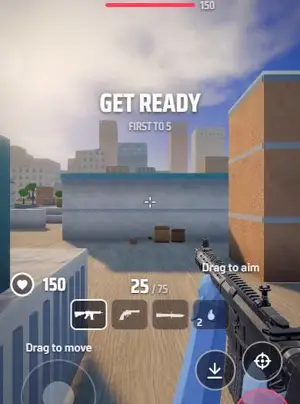
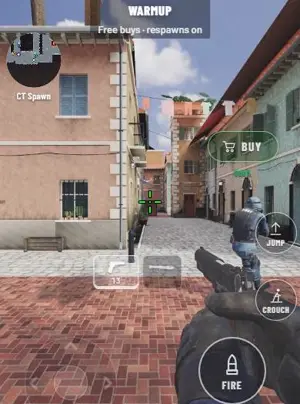
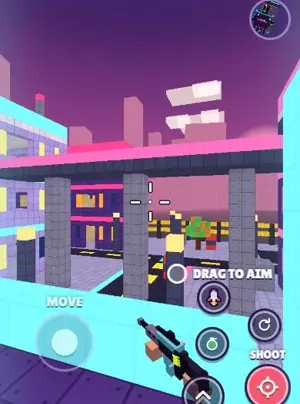
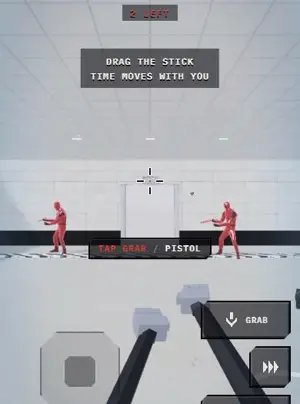
Set up a 1v1 with Roam
Describe the arena and the guns. Roam makes it playable and your friend can join.
Try: "1v1 in an abandoned warehouse, one sniper and one shotgun, first to 5 wins, my friend is the other player"Roam ("Roam - Make Games" on the App Store) is an iPhone app where you play games and make your own by describing them or from a photo. It is free to download and play, and making games works without a subscription; optional Spark and Reality plans and credit packs add more creation. Android: pre-register on Google Play.
Questions people ask
What is the easiest FPS game to make?
A target range or a wave shooter on one small map. One gun, enemies that walk at you, and a score. Add a second player later.
How long does a first FPS take to build?
From a template, a rough playable prototype can come together over a weekend. A polished game with many maps takes months or longer.
What makes FPS guns feel good?
Recoil that recovers, muzzle flash, a strong sound and a hit marker. Together they make every shot readable.
Can I make an FPS game on my phone?
Not in Unity, Unreal or Roblox Studio, which need a computer. On a phone you can describe one to Roam and play it with friends.
Sources, checked November 5, 2026
- Unity's FPS Microgame is a free first-person shooter template opened from Unity Hub: learn.unity.com
- Creator Kit: FPS is a code-free beginner course from Unity Learn: learn.unity.com
- Unity Personal is free under a revenue and funding limit: unity.com
- Unreal's First Person template has an Arena Shooter variant and Blueprint classes: dev.epicgames.com
- Unreal Engine is free to use; 5% royalty after $1 million gross revenue: unrealengine.com
- Godot CharacterBody3D is the node for a script-controlled player: docs.godotengine.org
- Godot RayCast3D detects what a ray hits: docs.godotengine.org
- Roblox FPS System template: the Laser Tag blaster system plus practice targets: create.roblox.com
- Roblox Studio is a free application available on Windows and Mac: create.roblox.com
- FPS Creator Classic was released free and open source by The Game Creators in 2016: en.wikipedia.org
- CLUTCH on Roam: 1v1 FPS duel: roam.gg
Product names belong to their owners. Roam is not affiliated with them.
Keep exploring
- Make a FPS game
- How to make a 3D game
- How to make a fighting game
- How to make a card game
- How to make a visual novel
- How to make a snake game in Python
More on Roam: All Roam games Games to play, by kind